72 GB of VRAM, No Graphics Card
My other local-inference box is built the normal way: a discrete GPU with 24 GB of VRAM, and models chosen to fit inside that ceiling. It’s fast, and the ceiling is the whole personality of the thing — plenty of very good models fit, and a 120-billion-parameter model is not one of them. There’s no discrete card you can buy at a sane price with enough VRAM to hold a model that big.
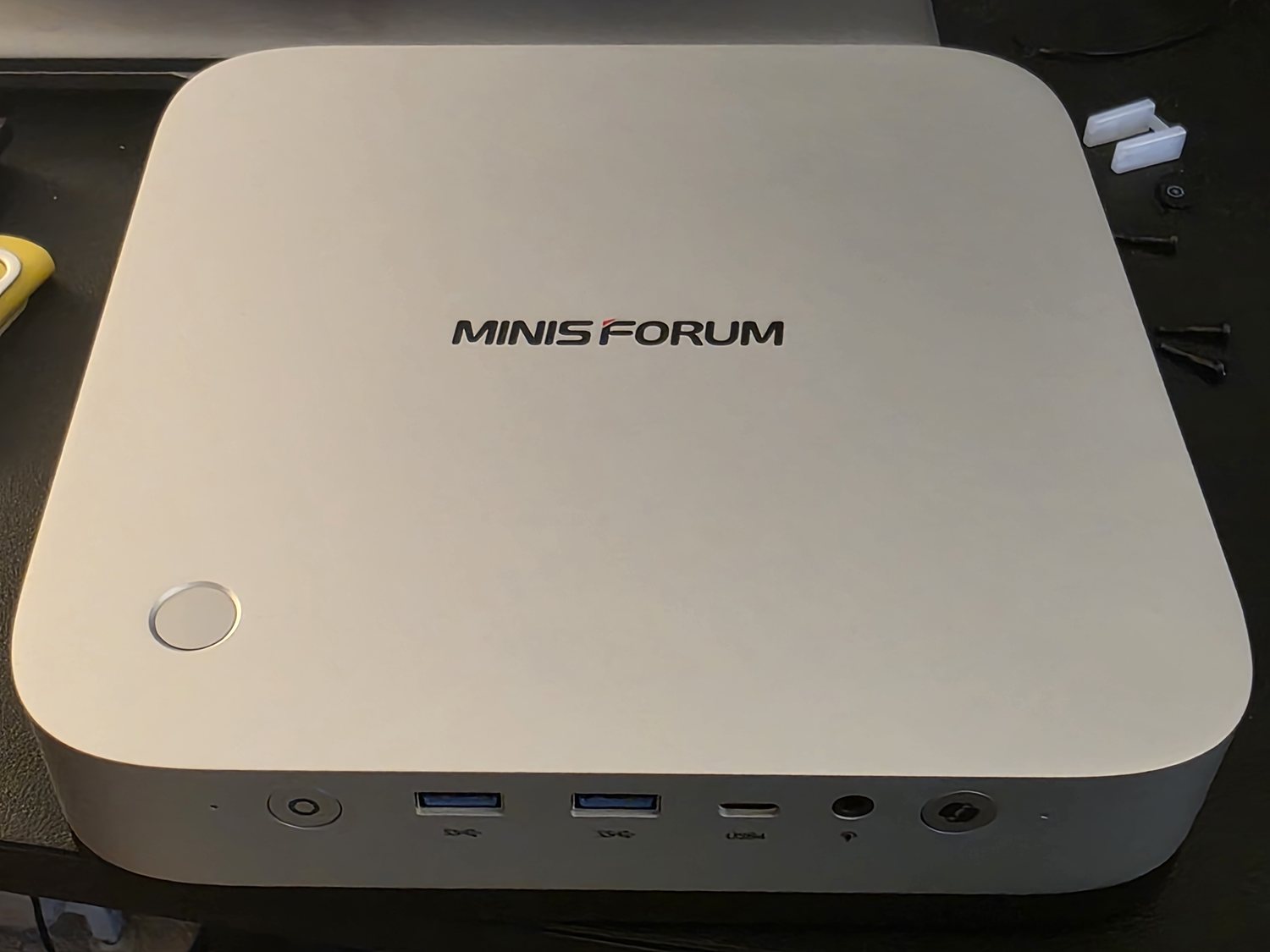
So this is the opposite approach, on a machine with no graphics card at all: a MINISFORUM AI X1 Pro-470, a small AMD mini-PC, and a trick that turns cheap system RAM into an enormous pool of “VRAM.”
The trick: system RAM, relabeled as VRAM
The chip is a Ryzen AI 9 HX 470 — Zen 5, twelve cores, with a Radeon 890M integrated GPU. An integrated GPU has no memory of its own; it shares system RAM. What’s new is that AMD lets you carve out a big fixed slice of that RAM and hand it to the iGPU as dedicated graphics memory. The feature is Variable Graphics Memory, it lives in the Adrenalin app, and it will give the GPU up to 75% of your system RAM.
I put 96 GB of DDR5 in the box, so 75% is 72 GB. That’s the setting: 72 GB dedicated to the GPU, 24 GB left for the operating system.
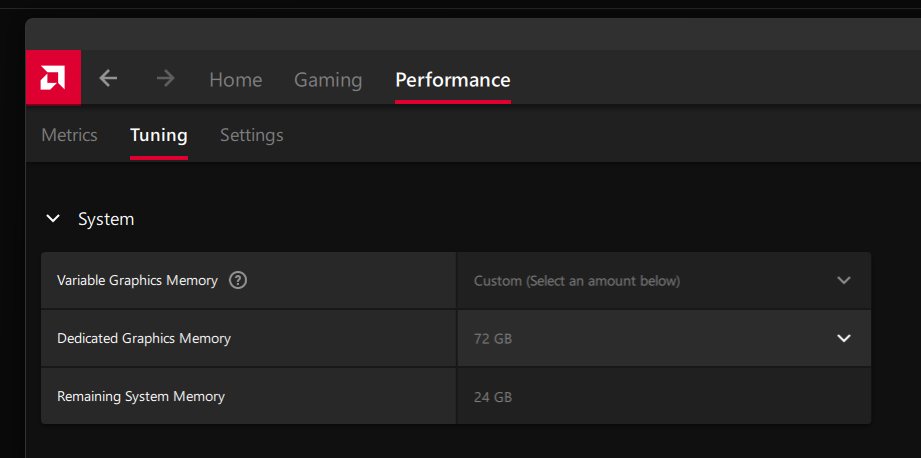
Reboot, and the machine genuinely believes it has a 72 GB graphics card. LM Studio sees a single Vulkan GPU with 72 GB of VRAM and offers to keep the whole model — and its KV cache — resident on it. This is the same unified-memory bet Apple Silicon made famous: don’t split memory between CPU and GPU, pool it, and let a big model live in the pool. It’s why a Mac with enough RAM can run models that would need multiple expensive cards on a PC. This is the x86 version of that bet, on a box that costs a fraction of the Mac.
The payoff: a 120B model on a machine with no GPU worth the name
The model I wanted was gpt-oss-120b, OpenAI’s open-weight 120-billion-parameter model. It’s a mixture-of-experts design — 116.8 B total parameters but only ~5.1 B active per token — and its expert weights ship quantized to 4-bit (MXFP4), which shrinks the whole thing to about 60 GB on disk. Sixty gigabytes will never fit on a 24 GB card, or a 32 GB one. It fits inside 72 GB with room for the KV cache to spare.
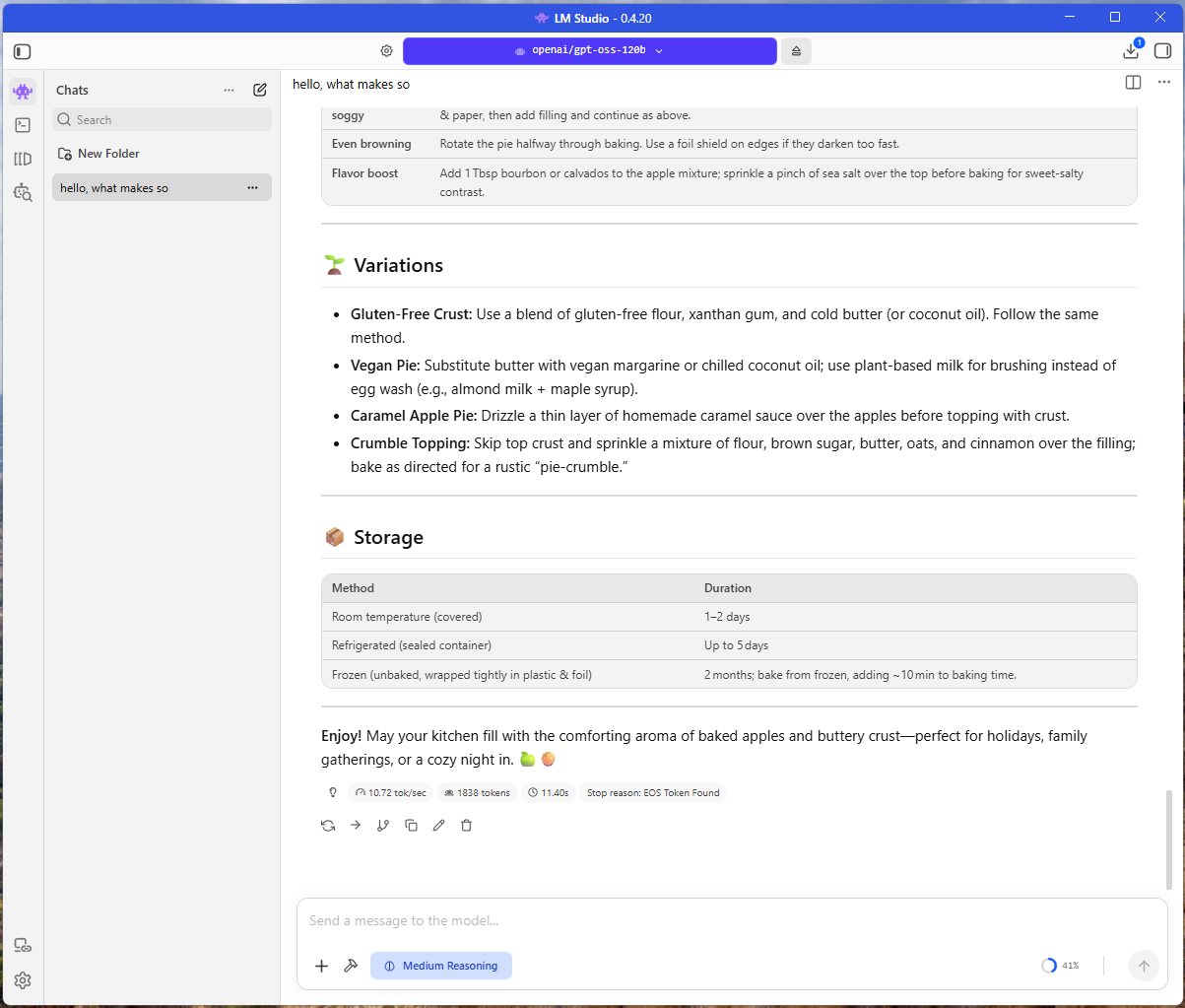
And it runs — entirely on the integrated GPU, through Vulkan. Ask it for an apple-pie recipe and it thinks for eight seconds and writes one.
It’s not faking it on the CPU, either. Task Manager shows the Radeon 890M pinned at 100% compute, ~43 GB of the 72 GB pool occupied, and the die at 68 °C while it generates.
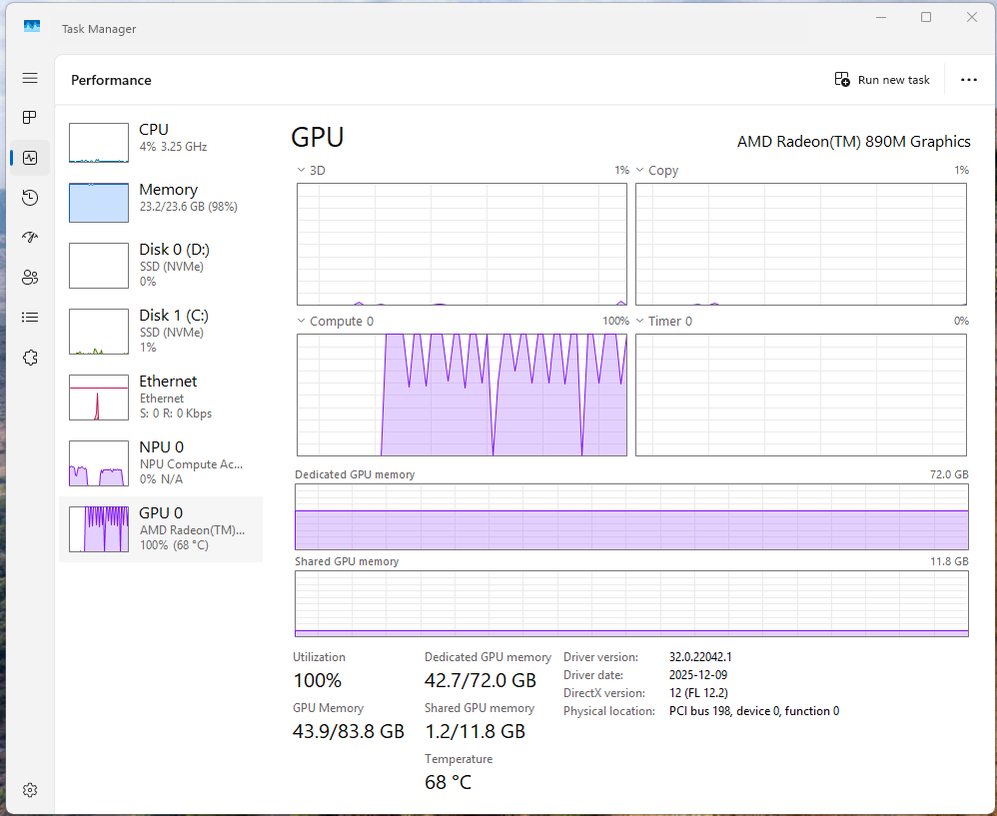
One quiet detail in that screenshot: the NPU — the neural engine AMD puts on every spec sheet and every marketing slide for this class of chip — sits at 0%. None of this touches it. Local LLM inference in LM Studio runs on the iGPU, and the accelerator named on the box does nothing.
The catch is the only number nobody advertises
Look again at that stat line: 10.72 tokens per second. That’s reading speed. It’s fine for a chat you’re watching stream in; it’s painful the moment you want a long answer, or want to point an agent at it and walk away.
And the reason isn’t the GPU, or the quantization, or the 72 GB. It’s memory bandwidth — the rate at which the chip can read those weights. Generating each token means streaming a chunk of the model out of memory, so tokens-per-second tracks how fast memory feeds the GPU, almost regardless of how big the VRAM pool is. This box runs plain DDR5 SODIMMs on a 128-bit bus: roughly 80 GB/s. For comparison, AMD’s own “run a 128-billion-parameter model locally” pitch is about a different chip — the Strix Halo / Ryzen AI Max+ 395, with a wider memory bus around 256 GB/s — and an Apple M-series Ultra is somewhere near 800 GB/s. Same trick, three tiers of bandwidth, and the tokens-per-second falls out roughly in that order.
That’s the whole field note. Variable Graphics Memory answers does the model fit — and for a 120 B model on a cheap box, the answer is a genuine, slightly-astonishing yes. It says nothing about how fast, and how fast is the part you actually feel. The spec that sold me the box was 72 GB. The spec that decided the experience was one the box never mentioned.
The trick even fights itself a little
There’s a smaller irony buried in the build. To get 96 GB into two SODIMM slots you need two 48 GB modules, and 48 GB modules are dual-rank — the exact configuration a laptop-class memory controller has the hardest time driving at full speed. My Corsair kit is rated DDR5-5200; the machine was noticeably more stable when I let the memory sit at the slower 4800 MHz JEDEC baseline instead. (MINISFORUM rates the board for DDR5 up to 5600 MHz, but that’s the friendly single-rank case; two dense dual-rank sticks are a different ask.)
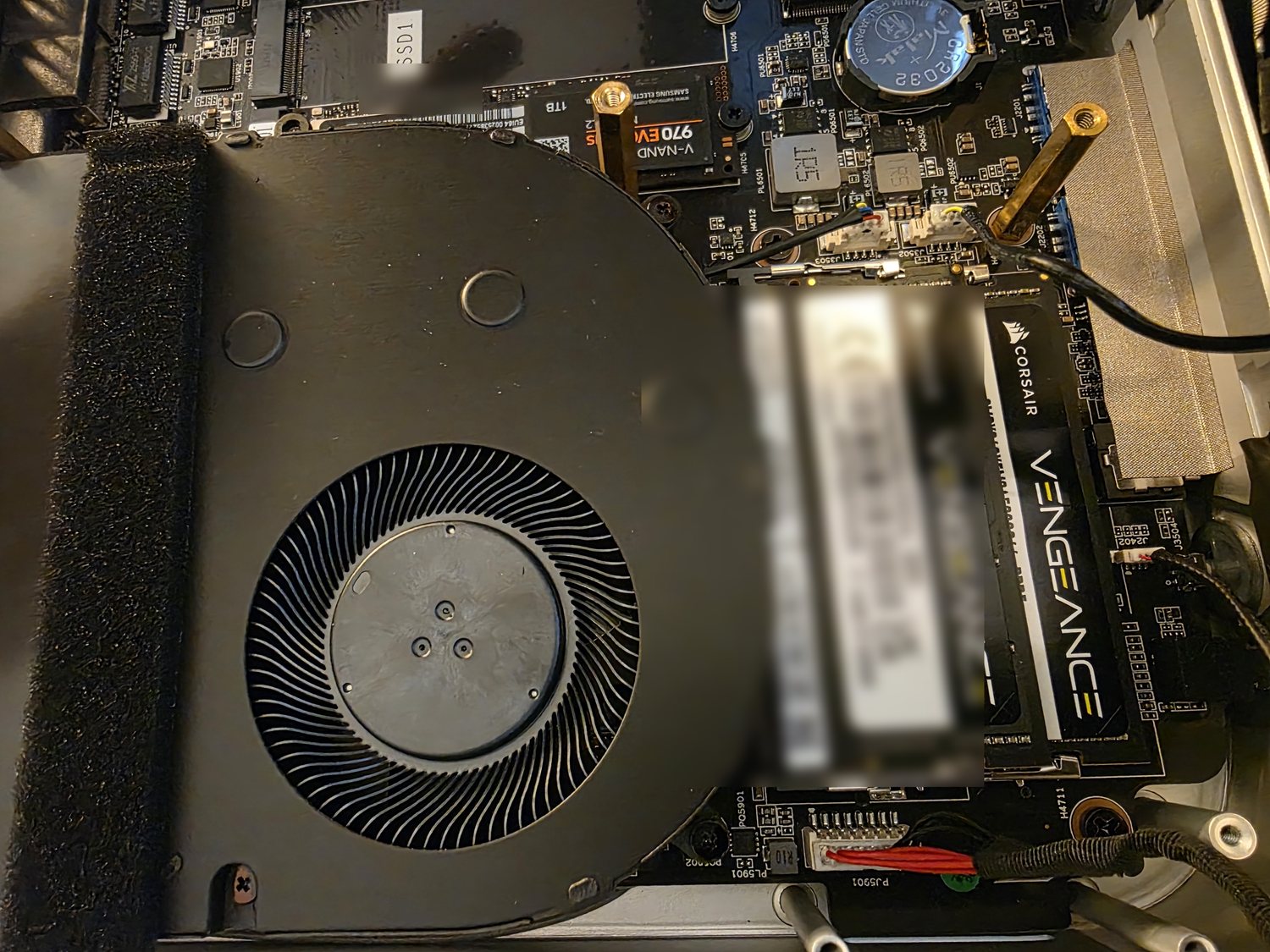
So the capacity that makes the whole trick possible — the big dual-rank sticks — is also what forces you to give back a little of the bandwidth you were already short on. Capacity and bandwidth pull against each other, and this build sits at the far capacity end of that rope.
Where it actually belongs
It cost about CA$1,040 for the barebone, and I already had the 96 GB of DDR5 — which is where the timing turns into its own footnote. I bought that memory just before DDR5 prices roughly doubled through 2026, as the DRAM makers diverted wafers to the high-bandwidth memory that AI accelerators are built from. The same 96 GB SODIMM kit that was a couple hundred dollars when I bought it now runs multiples of that, and it’s the kind of thing that can rival the price of the machine it goes in. It’s a strange loop to sit inside: the AI boom that makes running a 120 B model at home appealing is the same boom pricing the RAM to do it out of reach. Buy the memory in early 2025 and this is a cheap way in; buy it now and the “poor man’s” part is doing a lot of work.
Even so, a Mac Studio or a Strix Halo box with enough unified memory to hold this same model still runs anywhere from US$1,500 to $3,000+. So the honest pitch was never “this replaces those.” It’s that it’s the cheapest ticket to the model fits at all — and you pay the difference in tokens per second, and now, thanks to the memory market, in a chunk of the up-front cost too.
Which slots it neatly into the tiering I already run: the discrete-GPU box for fast work on models that fit its VRAM, the frontier hosted models for the hardest problems, and now this — a patient, low-power box for running something genuinely big locally, when I care more that it runs on my own silicon than that it runs fast. The label said 72 GB; the bus said 80 GB/s. On a machine like this, the bus is the one you end up living with.
More on Local AI & builder infrastructure Building a Local LLM Box That Doesn't Need Babysitting →