I Built Cellular Routers Every Way. Then I Bought One.
I have a bin of failed routers.
Over a few years I tried to build a good cellular router (a box that takes a 4G/5G SIM and hands out WiFi and Ethernet) more ways than I’d like to admit. Raspberry Pi CM4 on a dual-Ethernet carrier, PC Engines router boards, a couple of x86 industrial mini-PCs, NanoPi, Seeed boards, a Banana Pi, a Compex board. Quectel, Telit, and SIMCom cellular modules. AsiaRF mini-PCIe WiFi cards. OpenWrt and Rooter firmware, in most of the combinations you can make from that list.
I learned a lot. The main thing I learned is that for anything I actually depend on, I should buy a GL.iNet.
That’s the honest arc of this post, so I’ll spend the rest of it earning that conclusion, because the reasons are the interesting part, and every one of them is a place where the spec sheet said yes and reality said “sometimes.”
x86 is the only platform where the firmware just works
OpenWrt and Rooter (the cellular-focused OpenWrt distro, current builds branded GoldenOrb) are gloriously capable and brutally hardware-specific. On an ARM SBC, support is per board: the right device tree, the right bootloader, vendor kernel blobs, and a device page on the wiki that may or may not match the revision in your hand. When it lines up, it’s great. When it doesn’t, you’re not debugging your router; you’re debugging whether your router can exist.
The Banana Pi was the cleanest example. On paper it was perfect: a proper router SoC, dual Ethernet, the works. In practice the OpenWrt support lived on community forks rather than clean mainline, and I never got it to boot into anything usable. A Compex WPJ563 died a different way: the firmware flash hung partway through an upgrade and the board never came back. These boards are normally recoverable (a serial console and a TFTP bootloader load is the standard rescue), but I ran every UART trick I knew at it and nothing took, which most likely means I’d corrupted the bootloader itself. It’s still dead. On x86 that same mistake is a five-minute reimage of a disk; on a small embedded board, when a flash goes wrong at the wrong moment, you can lose the board.
x86 is the opposite. x86/64 is a first-class OpenWrt target that uses the standard mainline Linux driver set (Intel and Realtek NICs, ordinary AHCI and USB), so a generic mini-PC or appliance mostly just works, no board-specific séance required. If you take one thing from this: if you’re building a router to depend on, start with x86 and skip the ARM lottery entirely. The one asterisk is add-in WiFi, which rides the same driver situation as everything else — more on that below.
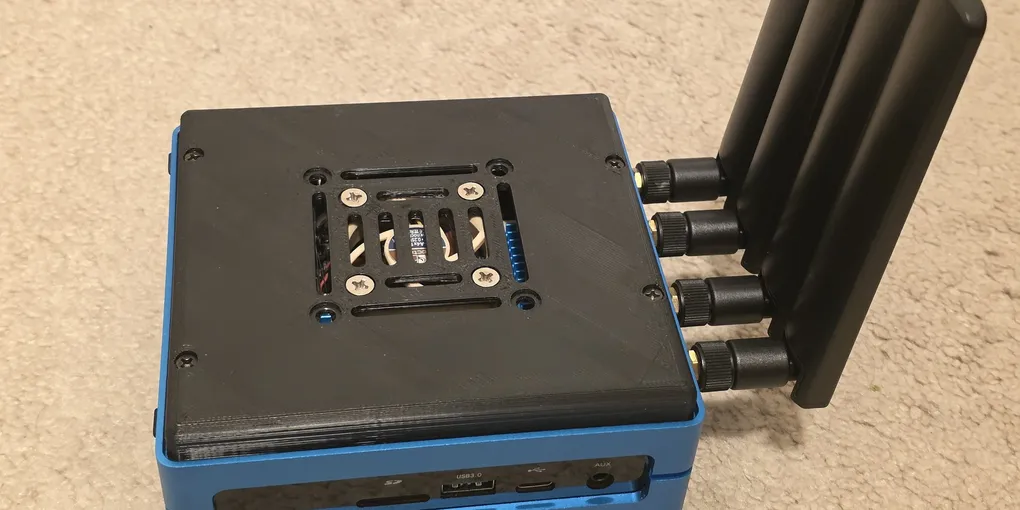
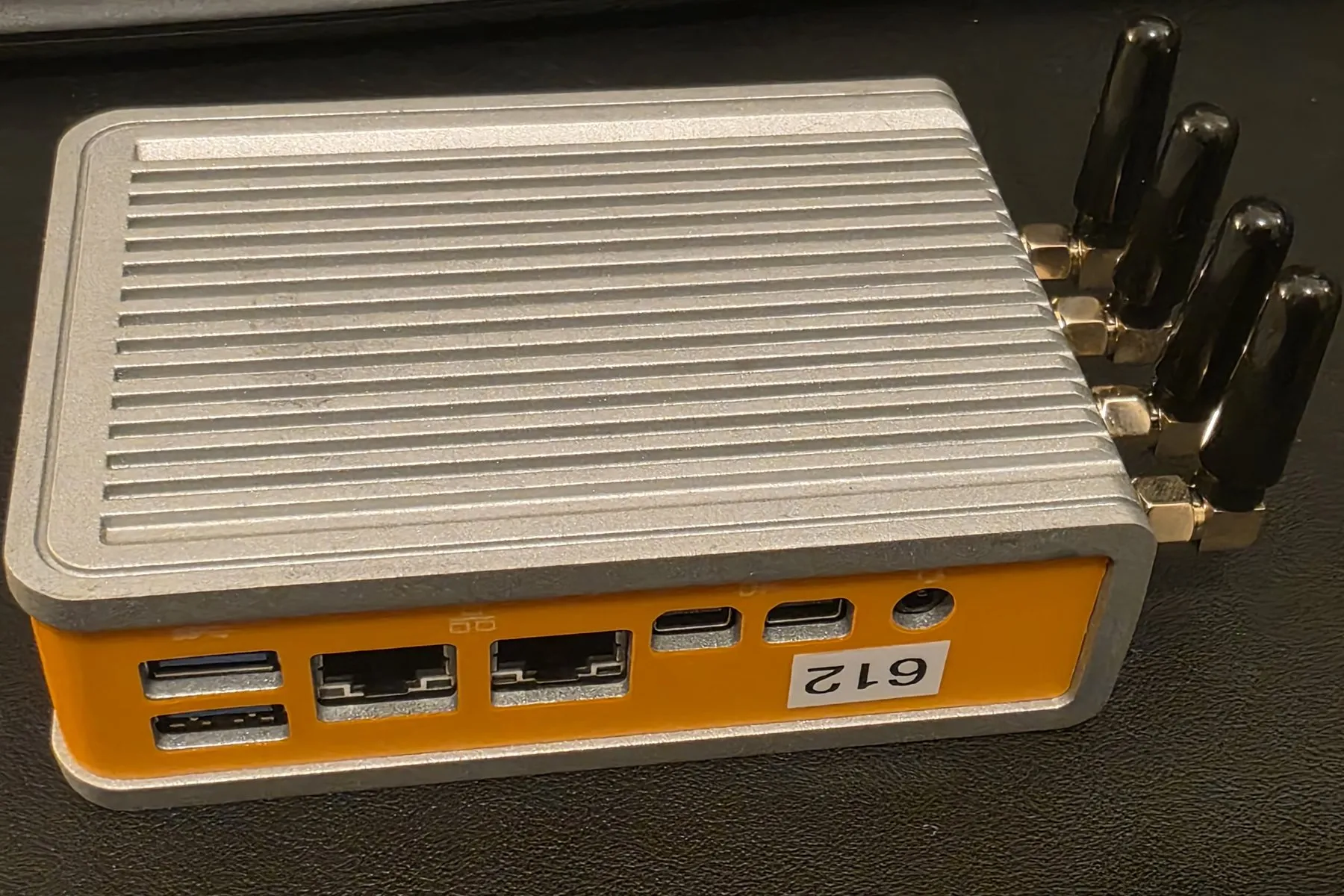
The two builds I eventually stopped fighting were both x86: the Seeed Odyssey at the top of this post, and this fanless Logic Supply mini-PC.
The modem is a compatibility lottery you can’t see from the store page
Cellular modems all look interchangeable in a listing. They are not.
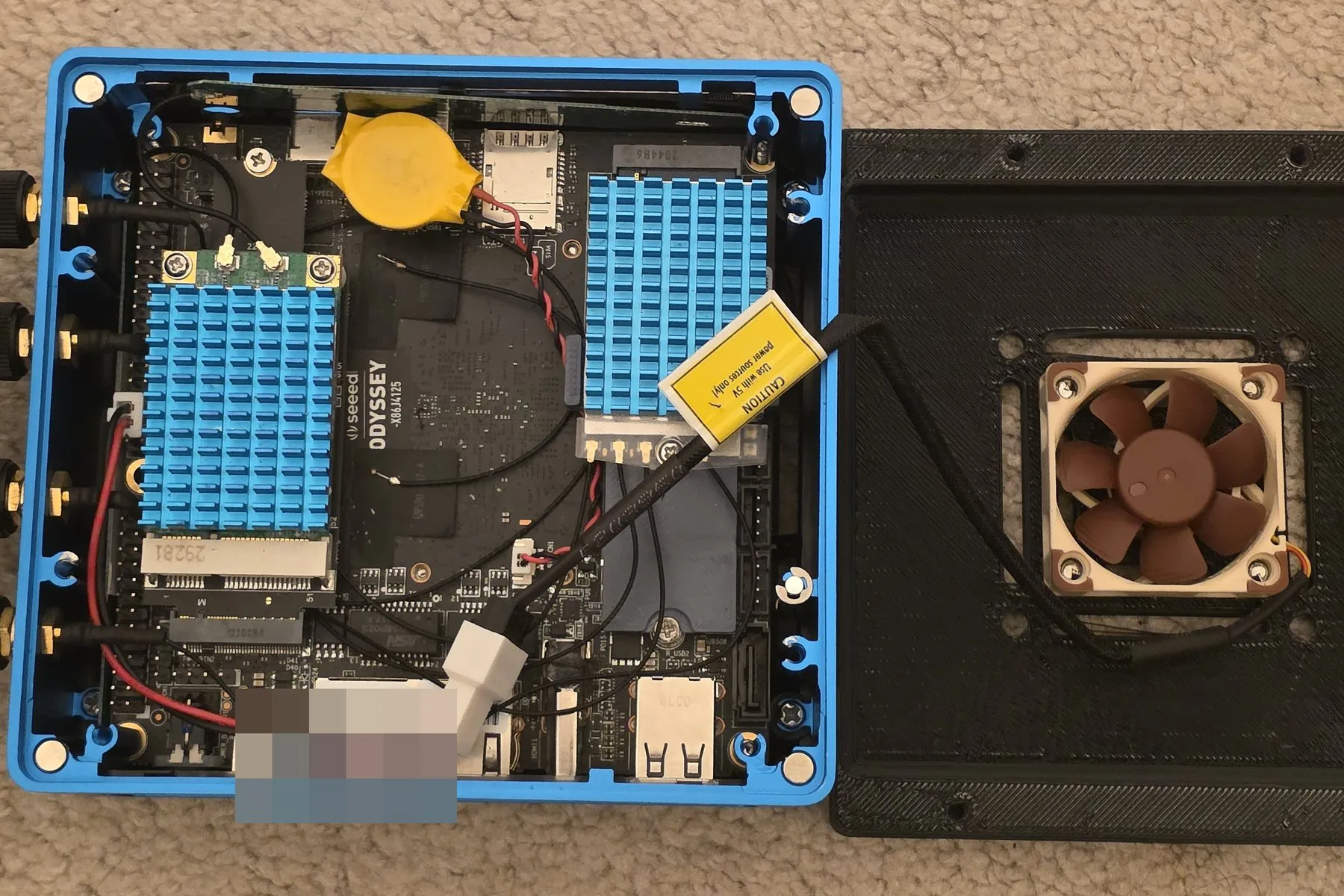
Quectel was the one brand that consistently came up clean: its 5G and LTE modules have proper in-kernel qmi_wwan entries and mature ModemManager handling, so they enumerate as a normal QMI interface and get on with it. The one I settled on was the RM502Q-AE (since superseded by the RM520N-GL, which is newer and, when I last looked, no more expensive); for a pure-LTE build the EM060K-GL is the obvious pick. SIMCom and Telit I never got working reliably. To be fair to them: it’s not that they can’t work. Telit’s newer 5G parts do run, but they want a recent kernel, the MHI stack, and in some cases out-of-tree patches and ModemManager fixes. SIMCom tended to fall back to an Ethernet-over-USB mode that felt broken more often than not. That’s the point, though: I didn’t want a modem I had to babysit through kernel plumbing. I wanted one that worked. Only Quectel reliably did.
There’s a hardware trap underneath the software one. A mini-PCIe modem doesn’t talk over PCIe at all: the “PCIe” slot carries USB 2.0 signals to the modem, so your cellular throughput is capped at USB 2.0’s ~480 Mbps no matter what the modem is rated for. That’s fine for LTE. It is not fine for 5G. To actually get 5G speeds you need an M.2 B-key slot, where the modem rides USB 3.1 Gen 1 (5 Gbps) or a PCIe path. “You need M.2 for 5G” isn’t about the connector shape; it’s about which bus is behind it. The connector promises PCIe; the bus wired behind it is USB 2.0. The bottleneck is the bus, not the modem — about as literal as that ever gets.
And then power. A 5G module like the RM502Q-AE sips current on average but spikes hard the moment it transmits or first attaches to the network. Quectel’s own design guide calls for a supply that can deliver 3 amps, not because that’s the steady draw (it’s under an amp) but because the burst peaks demand it. Plenty of carrier boards and their M.2 rails don’t budget for that, so the modem browns out and resets exactly when it’s working hardest. A router that reboots whenever the signal gets interesting is not a router.
WiFi is a driver lottery too, and not every card is even an access point
The WiFi story rhymes with the modem story: the silicon is fine, the driver decides your fate. MediaTek’s mt76 driver is community-maintained by people deep in OpenWrt and covers a broad range of chips cleanly. Qualcomm’s newer Atheros parts depend on closed, Qualcomm-signed firmware, which also now bakes the regulatory domain into the blob, so support lands later and bends less. My experience matched the reputation exactly: MediaTek cards mostly worked; Qualcomm cards were a coin flip.
But there’s a more basic question the store page never answers, and I wish I’d asked it first: can the card be an access point at all? “Wireless card” and “access point” are not the same capability. A radio can be a perfectly good client and still refuse to run as an AP, because AP mode is a distinct interface mode the chipset, firmware, and driver all have to agree to expose. The one honest way to know is to ask the card, not the listing. iw list prints a Supported interface modes block, and if AP isn’t in it, no amount of hostapd config will conjure it. The kernel moved “master mode” into userspace years ago, so the driver has to advertise AP support up to hostapd, or you’re stopped before you start.
And “supports AP” has fine print. The sharpest trap is Intel: since a 2019 firmware change, iwlwifi cards won’t run a 5 GHz access point at all. The moment hostapd brings the interface up, the card’s Location-Aware Regulatory logic resets the country to 00 (“world”), which marks every 5 GHz channel no-transmit. You get a working 2.4 GHz AP and a wall on 5 GHz. There are hostapd patches that coax it into cooperating, but they’re finicky and not something I’d wire into a router I depend on. For a box whose whole job is handing out fast WiFi, 2.4-GHz-only is close to useless.
Then there’s the soft-AP tier, and it’s the one that looks fine right up until it isn’t: chips built to be clients that will technically run as an AP, badly. The Raspberry Pi’s onboard radio is the textbook case: the same Broadcom/Cypress part that sits on the CM4 I started this whole saga with. Its firmware caps you at roughly seven associated clients before it falls over (a stripped-down “minimal” firmware trades features away to reach about nineteen), it’s a single spatial stream, and it’s feeding a tiny onboard antenna. That’s a fine access point for a sensor and a spare phone, and a bad one for a household. It shows up as an AP in every tutorial. It behaves like one until the fourth device joins.
Even a card that clears all of that has one more tier to fail at. The one I never won was DBDC (dual-band dual-concurrent): one card serving 2.4 GHz and 5 GHz as two access points at once. The AsiaRF MediaTek card I had is architecturally capable of it; the chip can do it. But the driver’s DBDC path had a long tail of open bugs on the OpenWrt builds I was running (crash loops, stuck bandwidths, firmware regressions), and I never got stable simultaneous dual-band out of it. That’s the whole lesson in one feature: “the driver exists” and “the feature works” are different claims, and the gap between them is where your weekend goes.
Failover is where the dream quietly dies
Everything above I could grind through. Failover is where I stopped.
The entire reason to build a serious cellular router is redundancy: two modems, two carriers, so one dropping doesn’t take you offline. OpenWrt’s mwan3 handles the failover logic fine. The hardware is the problem. Two modems means two M.2 or mini-PCIe slots, and most SBCs and small router boards give you exactly one. The boards that do have two rarely route the SIM lines to accessible holders, so you add a mini-PCIe-to-M.2 adapter that has its own SIM slot, and now changing a SIM means opening the device.
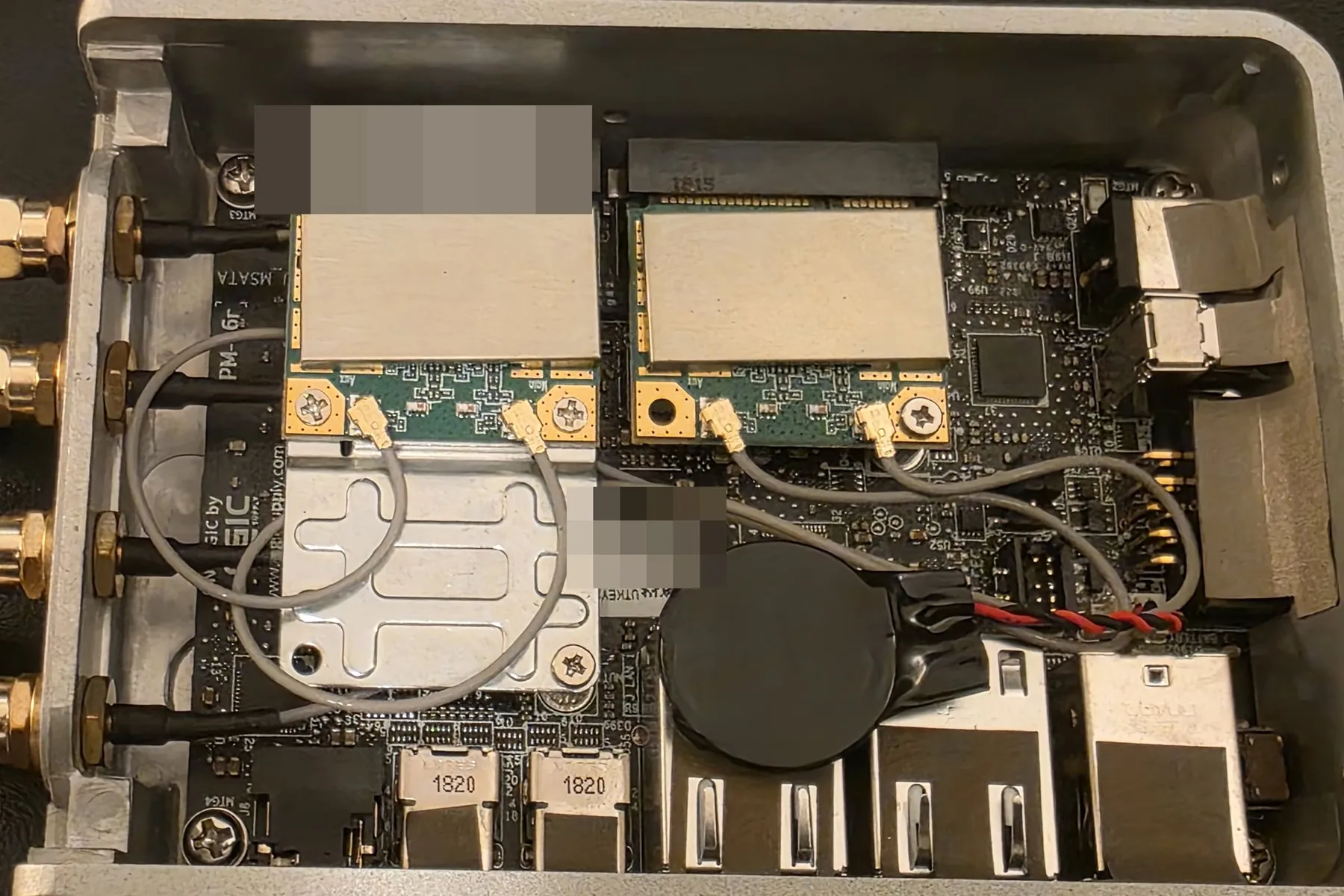
Sit with that for a mission-critical box. The failover router, the one whose entire job is to keep working untouched, is the one you have to physically crack open to swap a carrier. (Yes, USB modems and dual-SIM single-modem setups dodge some of this, but neither gives you clean simultaneous dual-carrier failover.) The ergonomics fight the goal.
So I bought the boring box, and one specialist one
Here’s the conclusion I reached after building it every way: custom cellular routers are a wonderful way to learn and a bad thing to depend on — unless depending on them is your full-time job.
It’s really a spectrum. At one end, build from parts: the best possible teacher, and honestly most of why I did any of this. Every failure above is something I now know in my hands, not just my head. At the other end, buy a polished vendor box and stop. GL.iNet routers are OpenWrt underneath with the vendor’s own layer on top, so you keep most of the openness and hand off the parts you can’t practically do yourself: integration, thermals, QA, and the one that quietly matters most, firmware updates you don’t have to maintain forever. (Cudy is a similar option; several models are officially OpenWrt-installable, just without GL’s stock GUI.)
In the middle is a tier I didn’t expect to lean on as much as I do: specialist ready-made routers. Outfits like The Wireless Haven and 524wifi sell full-feature multi-modem 5G routers (dual SIM, multiple mini-PCIe and M.2 slots, a fistful of antennas) built and tuned by people who do only this, usually shipping with Rooter. I’ve bought one of those 5G/LTE boxes twice. It’s still “custom,” but someone whose full-time business is getting these right did the hard part, and it shows.
That’s the real dividing line. If wireless is your business, going deep custom is completely rational: the pain is your moat, and you amortize it across every unit you ship. If you’re doing this part-time, like me, the honest setup is one reliable GL.iNet for the things you actually depend on, plus all the hand-built experiments you want on the side. The mistake isn’t building; it’s putting the experiment in the critical path.
The encouraging part is that the ecosystem keeps maturing. Waveshare, 524wifi, and AsiaRF have all grown a lot, and modem support in mainline Linux is noticeably better than when I started, and some of the pain in this post is already less painful than it was, and trending the right way. But the underlying rule hasn’t moved: a hand-built router demos beautifully and dies at 3am; the boring box stays up. My whole read on systems is whether they survive after the demo is over, and by that measure most of the routers in my bin failed the only test that counts.
They were still worth building. Just not worth trusting with something that has to work. The in-car version of this lesson is Everything With a Battery Cooks in a Parked Car, and the network-side rule I settled on is in Fail Closed, Not Fast.
Next in “Hardware the spec sheet lied about” Everything With a Battery Cooks in a Parked Car →